



A final big update to get ready for Midnight. We are introducing the Group Hub, powered by the WoW API, Raider.io and Warcraft Logs, the ability to claim your characters so your mains and alts are finally grouped together, updated Guides, and yea... class colors are back on the Setup page. This update we feel is the final step that brings all the core pillars of the raid planning together.
Much of the new flow is coverd in the updated User Guides. Including getting set up with Northern Sky Raid Tools for Midnight.
- NSRT Guide — get up and running with Northern Sky Raid Tools
- Wowutils Flow — the full setup flow for raid leaders
- Raider Flow — share this with your raiders so they know how to claim their characters
Group Hub Overhaul
The Group Hub is now the central hub for your guild info, merging and improving the old Group and Roster pages, giving you a full picture in one place.
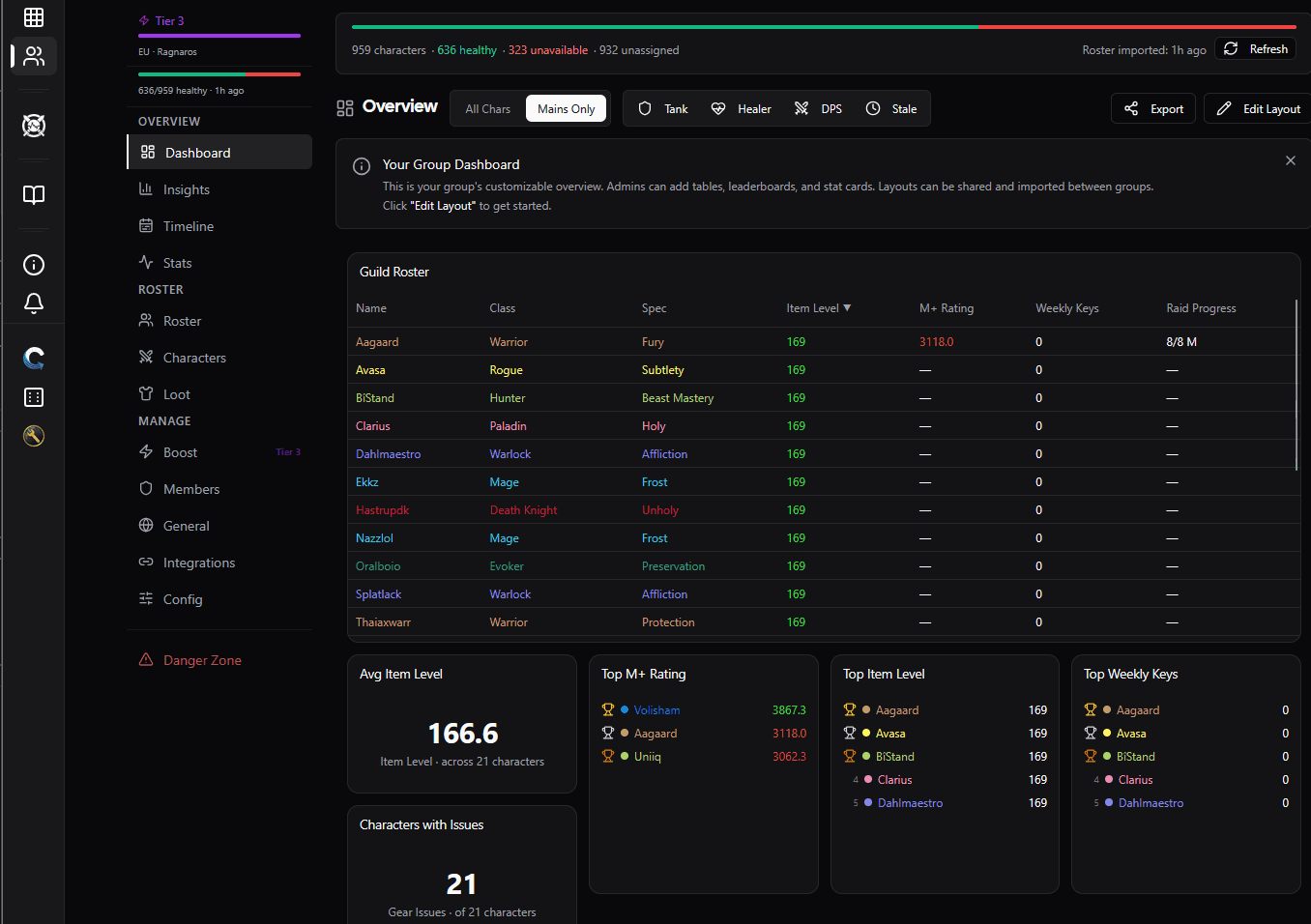
Dashboard
Customise your Dashboard tab to display a ton of useful info pulled straight from the game, such as:
- Weekly Keystones: see who's done their keys this week
- Item Level: track gear progression across the roster
- Missing Enchants: spot who's slacking on enchants
- And much more! You can configure Dashboard tab to show what matters to your team
The Gear and Professions tabs give you a detailed breakdown of your roster's equipment and trade skills at a glance.
WCL Insights & Stats
From the Insights tab, mass import your guild's previous logs. We'll crunch the data and present:
- Historical Performance: general data across your raid history
- Attendance Tracking: who shows up and who doesn't
- Compare Analysis: our comparison analysis for each imported log
Check the Stats tab for aggregated data across all your wcl imports.
WCL Comparison on Setup & Assignments
The latest WCL Comparison analysis is now visible directly on the Setup and Personal Assignments pages - no need to go digging through the Group Hub for it. It's also immediatly availalbe for your co-raiders.
Group Boost
Supporters can now Boost their group. Boosting gives your group shared benefits:
- Increased WCL import limits
- Data refresh priority
- Auto WCL Sync
Find this in the Boost tab of the Group Hub.
Got ideas for other Boost related benefits? Let us know on Discord!
Claim Your Characters - Mains & Alts United
Once you claim your characters in the Group Hub, your mains and alts are linked across Cooldowns, Assignments, and Setup pages.
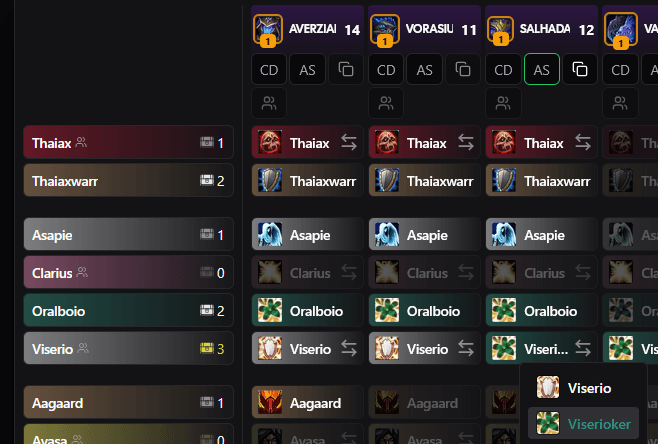
Setup
The next time you click Update Roster on the Setup page, all characters belonging to one member will be grouped into a single row. No more duplicate rows cluttering your setup. Swap between a member's characters per boss right from the row.
Assignments
Players can now toggle to highlight their own characters based on the member they've claimed in the Group Hub.
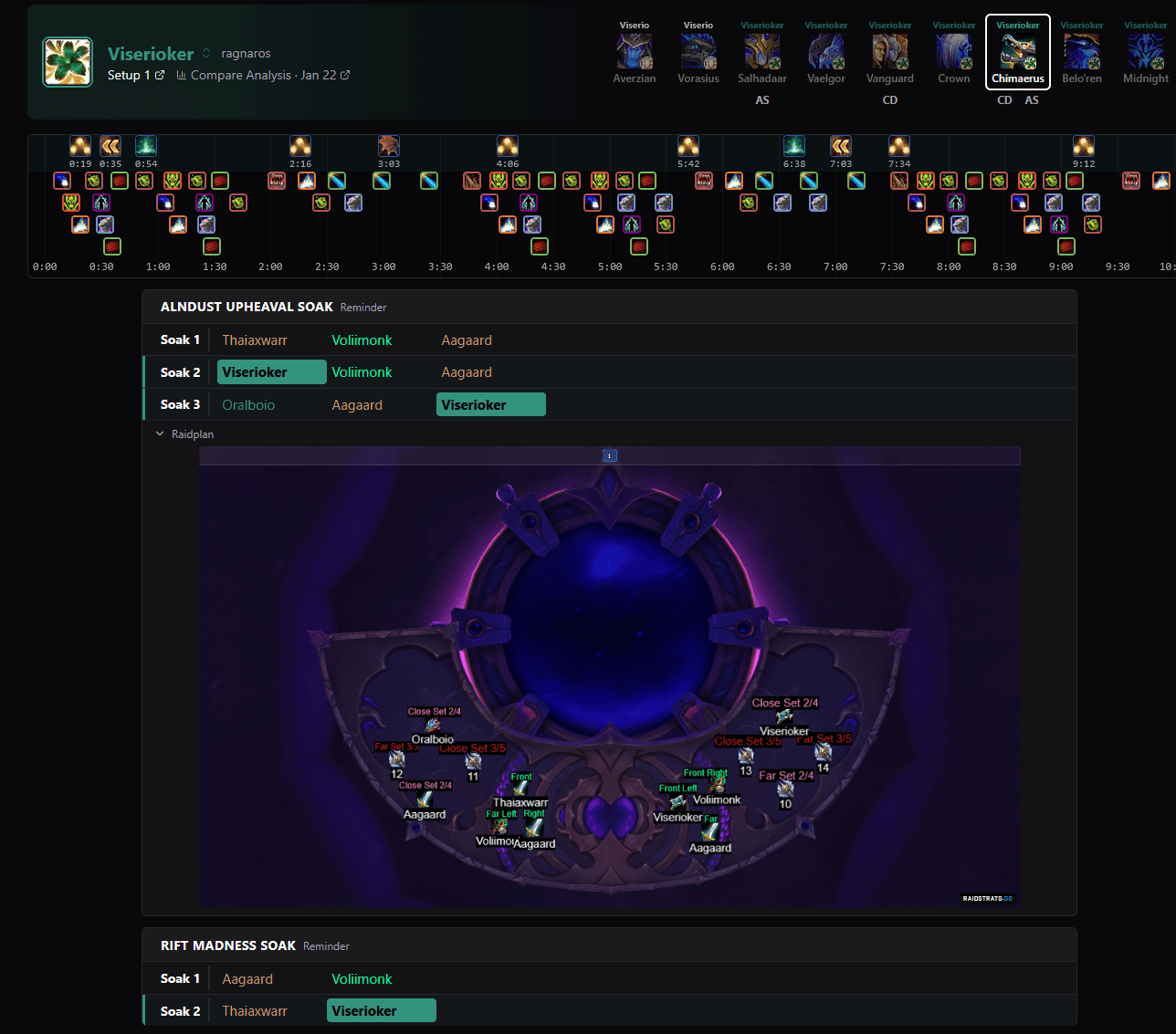
Personal Assignments - The new page for your raiders to have open during raid
On the Setup tab, there's a new My Assignments button that takes you to a personalised page showing only your assignments: CDs, Assignments, and which bosses you're benched on.
- Live updates: if the raid leader changes plans, your page updates in real time
- Alt-aware: shows the right info when you're playing an alt
- Clean and focused: no clutter, just what you need for raid
- Includes Raidplans: see the Raidplan for the current boss
I suggest you get all your raiders using this page during raid.
Setup Colors
You spoke up, we heard you, and we apologise. Class colors are back on the Setup page.
You can also toggle between different view modes from the Display settings in the top left of the Setup page. Pick what works for you.
Whats Next?
- Udating guides for Cooldown and Assignment Planning.
- Create the Cooldown Examples for Supporters.
- Update Curio for split generation
- Add feature to allow your raiders to edit only their own character cds in CD planner.
As always, feedback is welcome on Discord. Let us know what you think.