



We have now added support for Talents across the site. Allowing you to toggle talents on the CD planner, and adjusting the default spells + cd values based on the commonly picked talents on the fight.
What the site knows about talents
Cooldowns/durations/charges used to be a fixed value. Now they follow the commonly picked talents on a boss.
-
If mistweavers play Restoral on a boss, that will be the default spell visible.
-
CD, Duration and Charges of any spell will be decided based on the most commonly picked talents as well.
-
Pick rates per spec and boss. For every spec and their spells, show how many players take each talent on each boss.
-
Top 100 WCL Data. Data is based on the top logs per spec.
Talents in the spell menu
Click a player's name to open their spell menu. The Talents column on the right lists every spell a talent changes, with its talents and the value you plan with.
Read the frames. A white frame is what most players of the spec run, we default to the most common choice.
Click to plan. Turn a talent on or off and every cast of that spell will be adjusted.
Rarely taken spells start hidden
Rows used to carry spells the spec almost never runs, like Avenging Crusader vs Avenging Wrath, or Power Word: Barrier vs Ultimate Pentinence.
Hidden, with a reason. A spell almost never played starts in Hidden spells. Its tooltip says why, like "Taken by 0% of Holy Paladins in the raid. Most take Avenging Wrath instead."
One line in the Talents column. Rarely taken spells fold into a "Rarely taken talent spells" line that opens together with Hidden spells.
- One click away. Click a hidden spell to show its row again.
In grid view, rarely taken spells wait at the end of the spell palette under "Rarely taken"

Cast tooltips
Hovering any cast also displays a bit more information if you have selected talents outside of the default.

Talents in Spell Settings
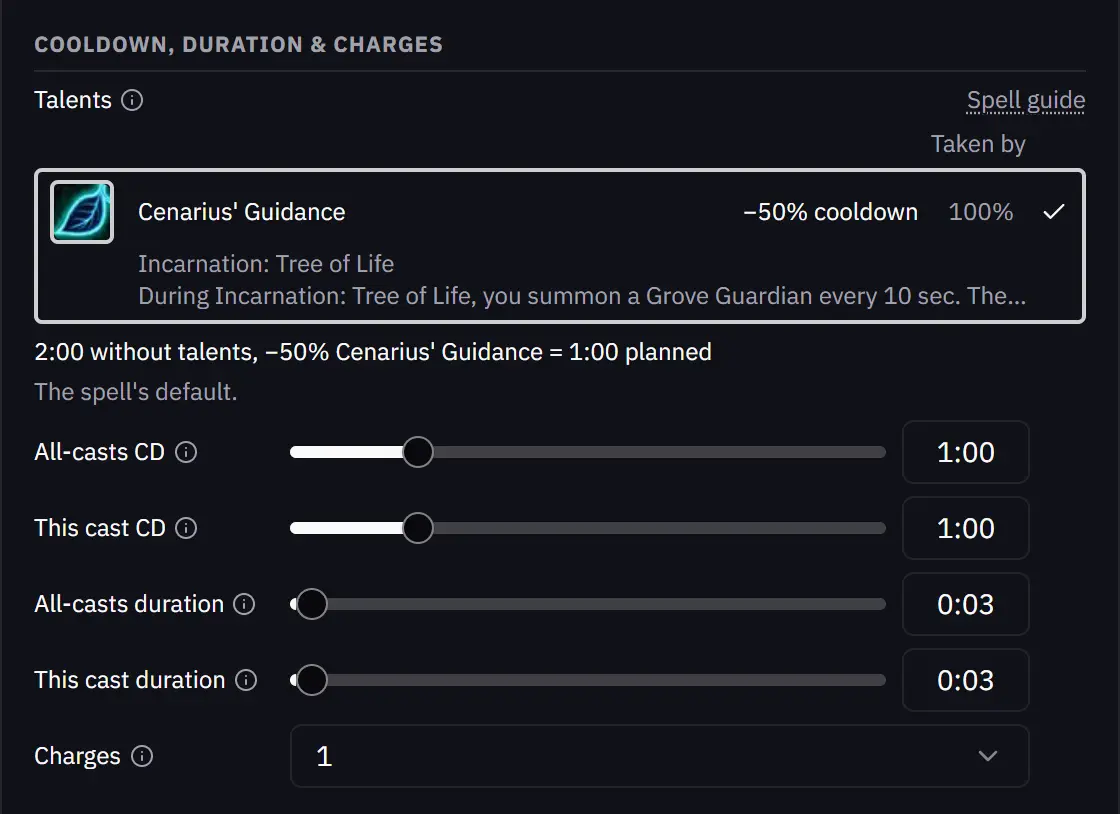
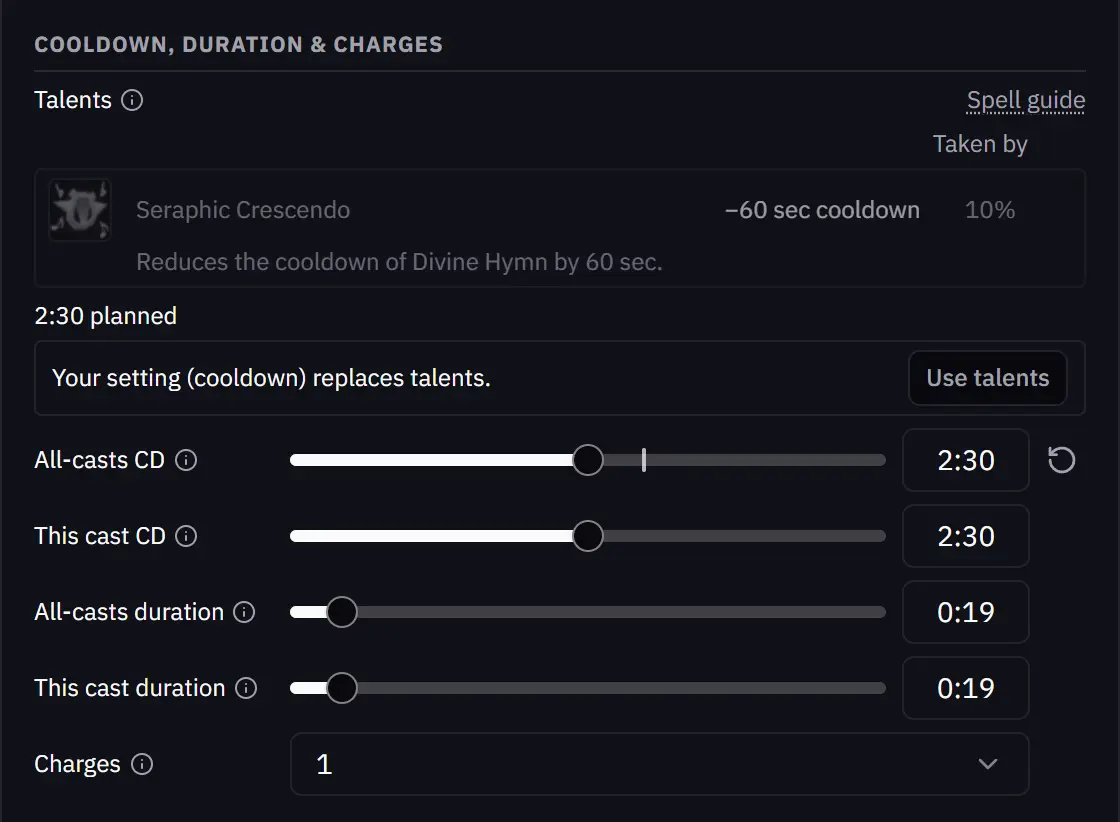
Alt + right-click a cast to open its settings. Talents are now shown at the top, and can be toggled here as well.
- Manual Override. Adjust the sliders below to manually chose a value instead of using the talents. The manually set value overrides any talent.
Spell guides
The spell guides read from the same talent data.
Taken by. The pick rate in the header now reads "Taken by", and the cooldown and duration show the value with talents next to the base.
Talent Modifiers. Each talent that changes the spell lists its effect, the result and how many players take it, with a link back to the planner.
- Choice spells. A spell on a choice node says what it shares the node with and links to the other guide.
- The spell list. Rarely taken spells are dimmed in the class and spec lists, and choice spells carry a small mark.
A player's talents from Top Rankings
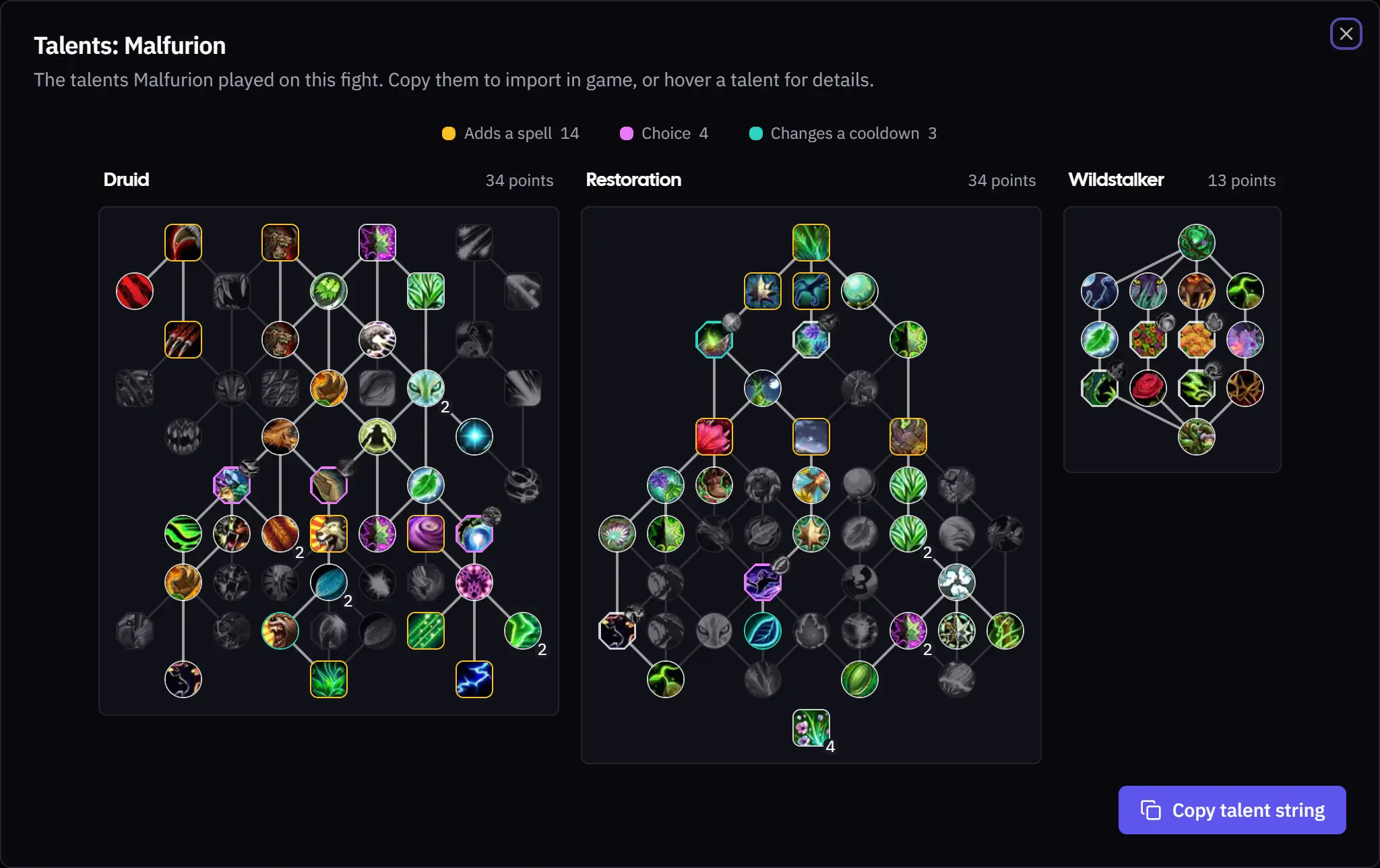
On Warcraft Logs Top Rankings, open a player's menu and pick View Talents to see their class, spec and hero trees for that fight. Copy talent string copies the build for the in-game import.
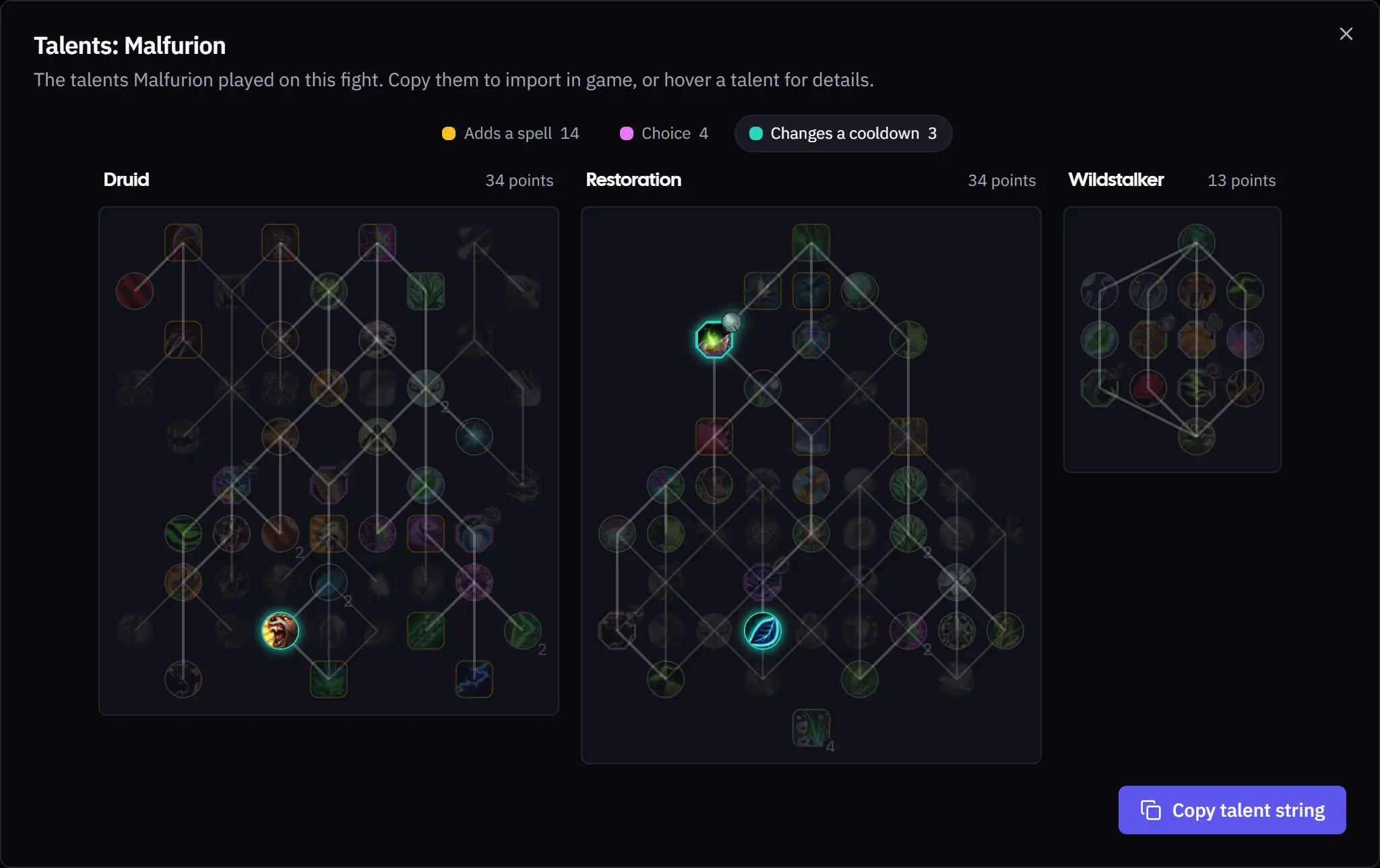
- Color coded. Amber talents add a spell, pink ones are choice nodes, and teal ones change a cooldown you plan with.
- Focus one kind. Click a chip in the legend to highlight that type of talent.
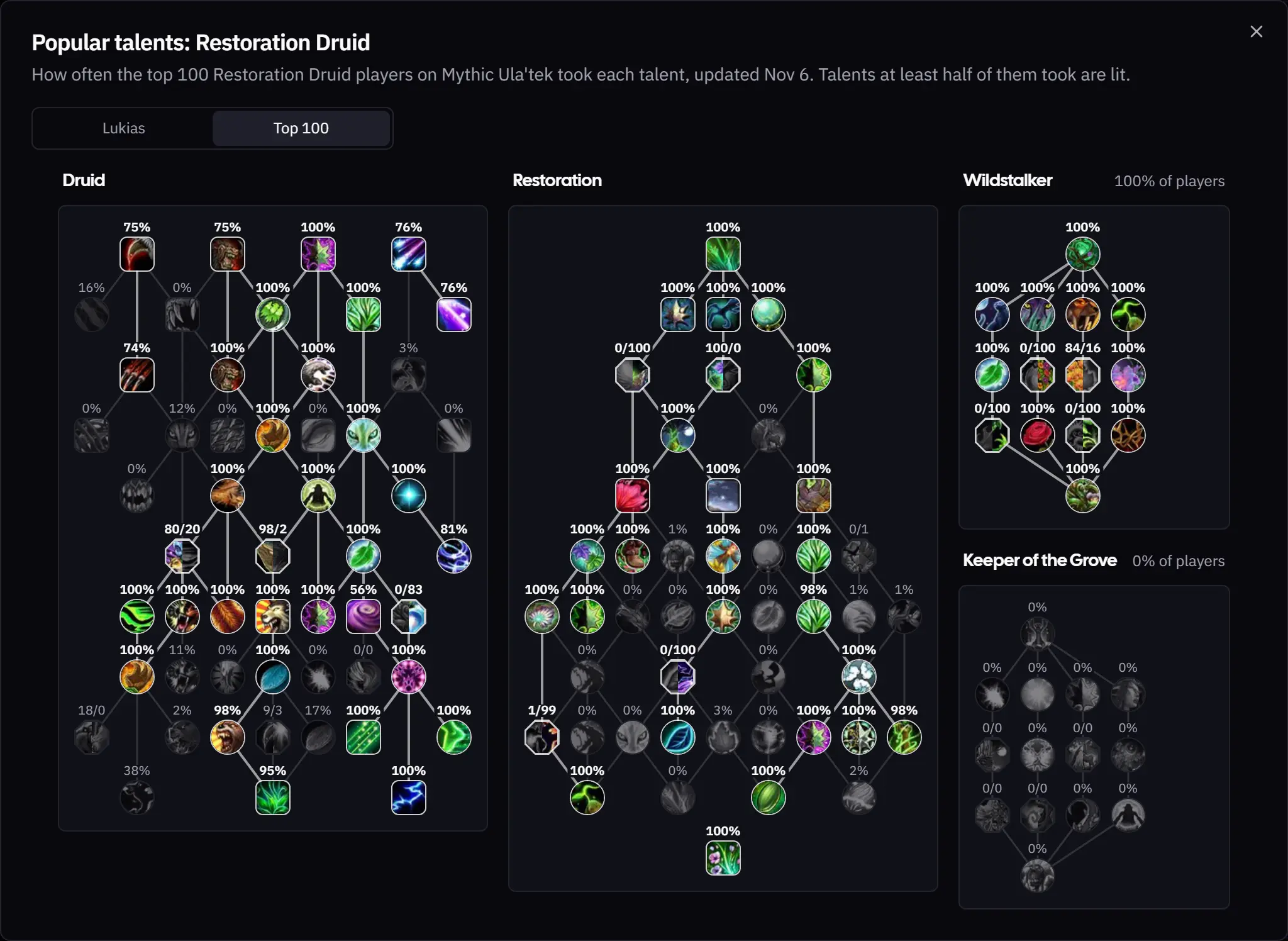
- What the top players take. Switch to Top 100 to see the whole spec's trees with how many of the top players on that boss took each talent. Talents at least half of them took are lit, choice nodes show a number for each side, and each hero tree says how many play it.
Around the app
- Row actions on your phone. Import, Export, Template, Import from Warcraft Logs and Copy note sit in one menu on small screens.
- Smoother spell drag on CD Planner The dragging of a spell could feel a bit laggy, its now a bit more smooth.
As always, feedback and ideas are welcome in Discord or on the Community page.