



Baldio's feed used to post every change in every channel you gave it, and it never pinged anyone. Now each channel gets what you choose, and officers can post their own announcements.
Team updates
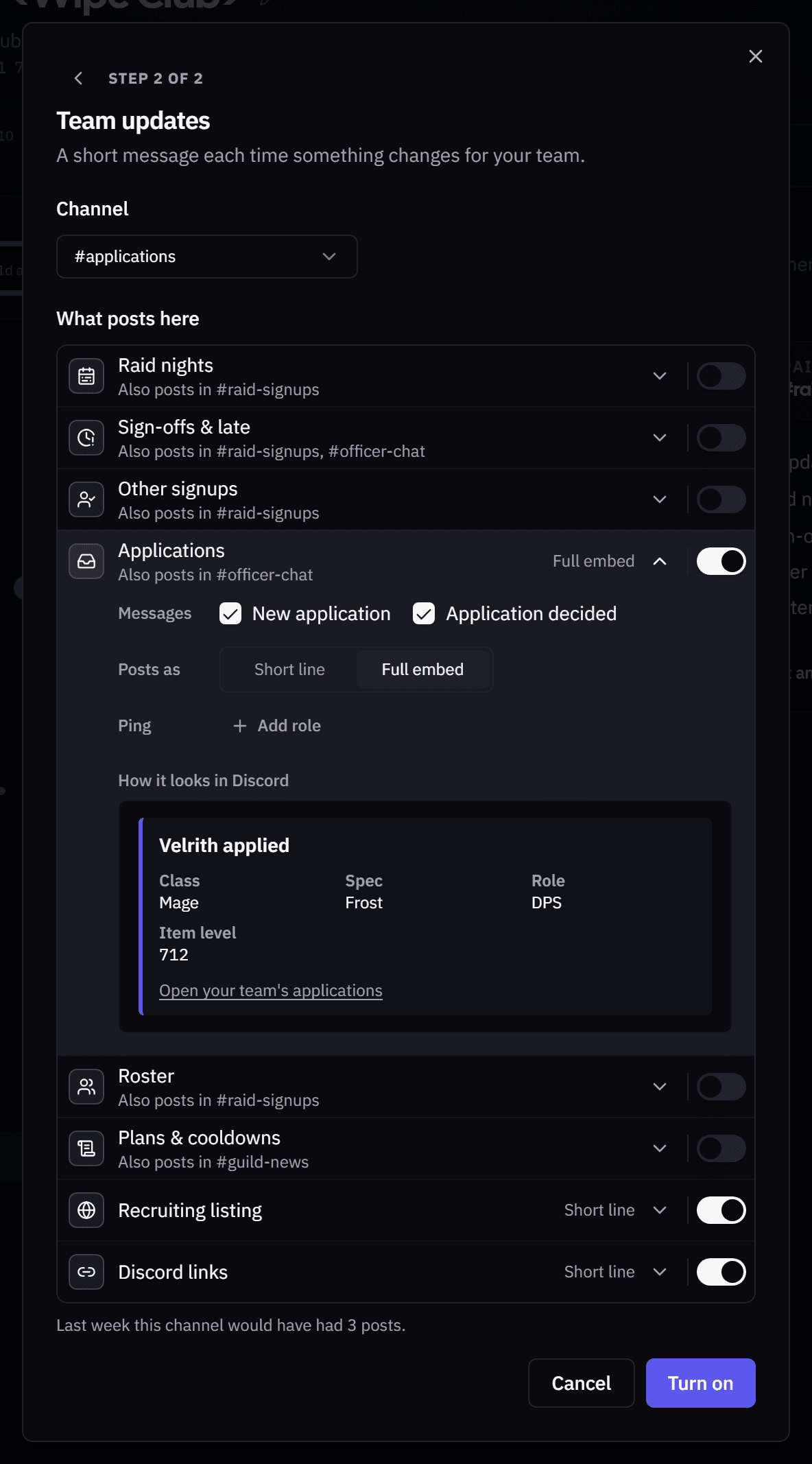
Open Integrations and click the pencil on a channel's Team updates row.

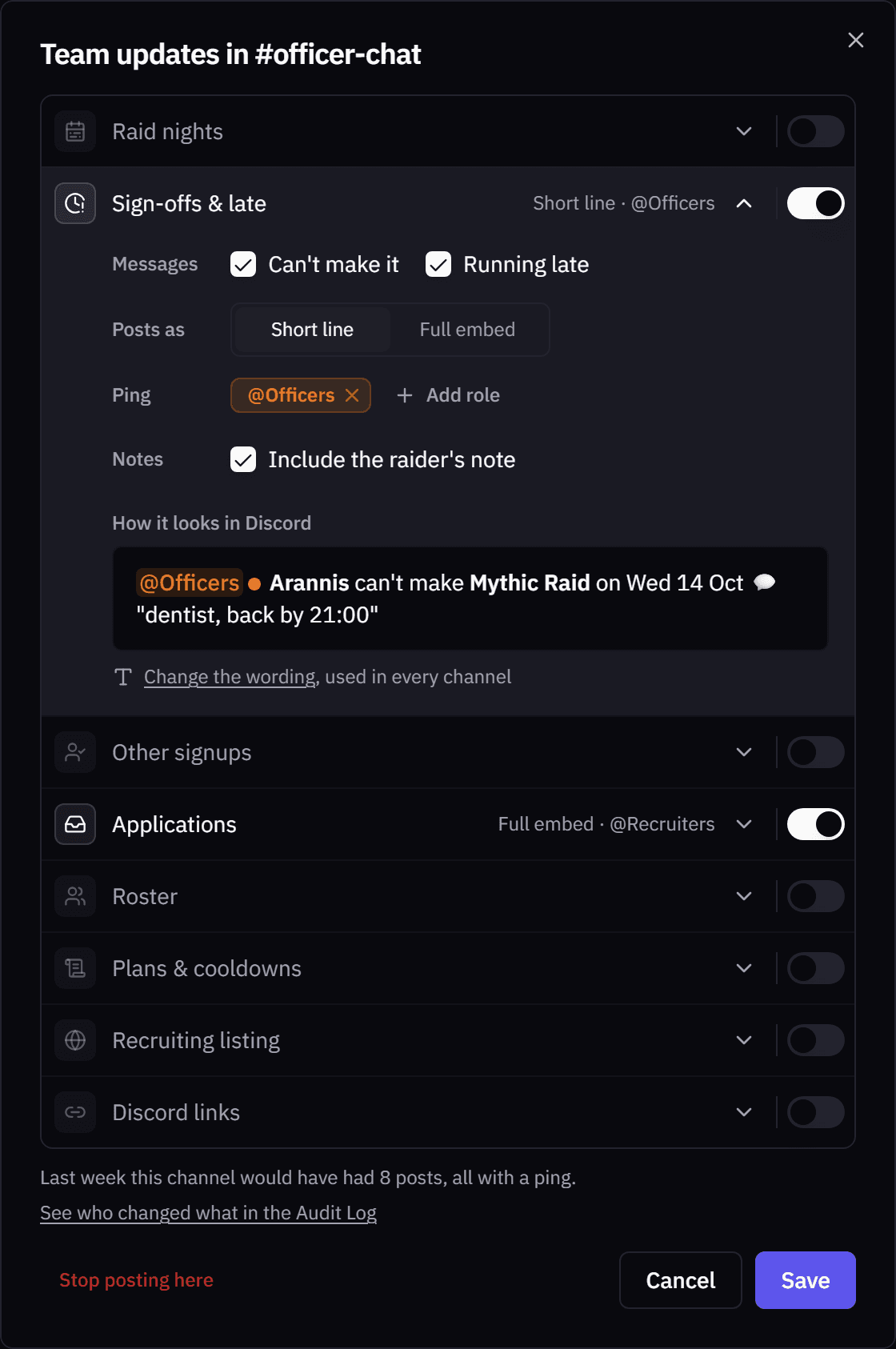
- What posts where. Raid nights, signups, applications, roster, plans, your recruiting listing and Discord links switch on and off per channel, down to single messages.
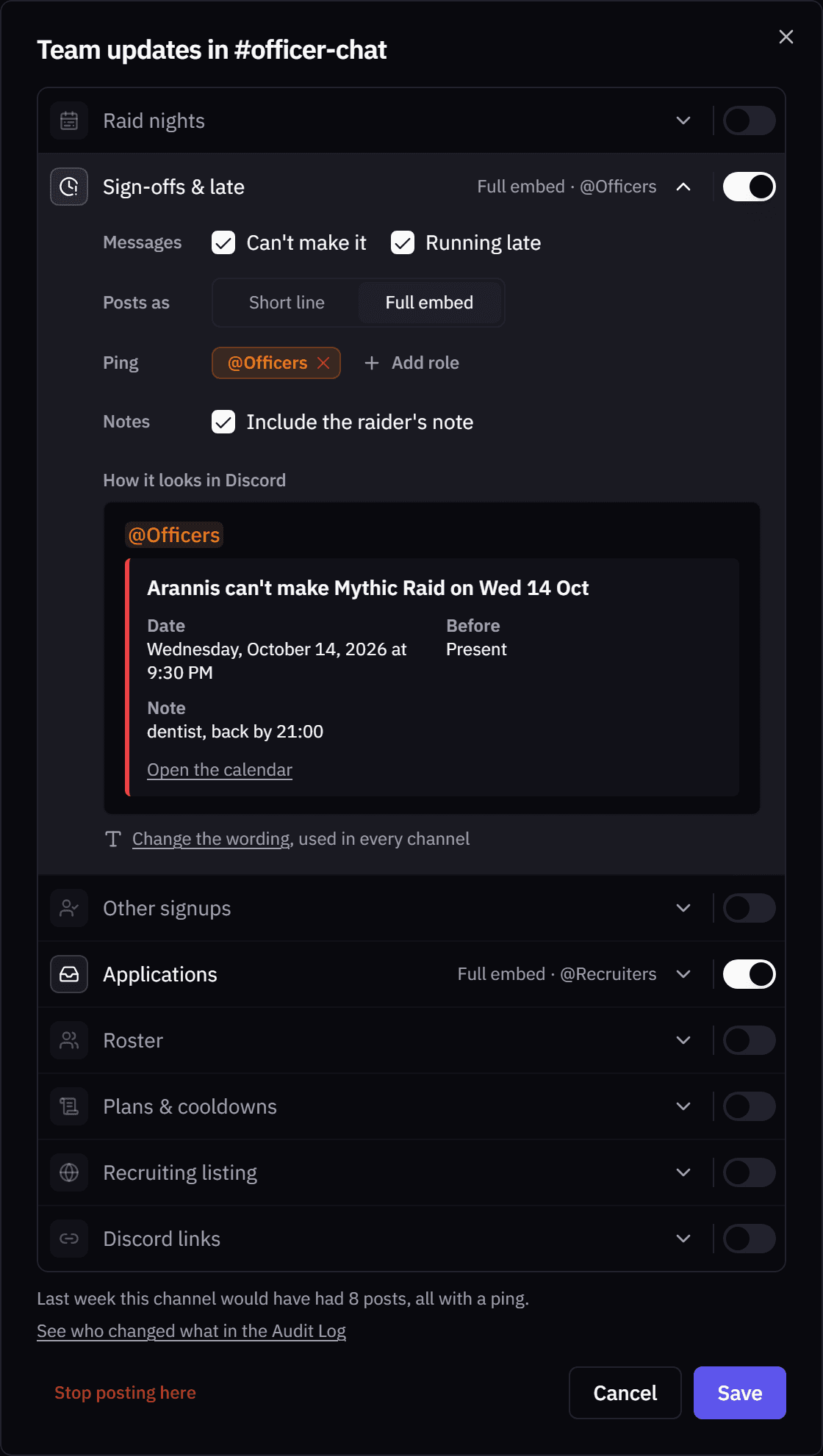
- Short line or full embed. One line, or an embed with the details and a link to the site. Applications start as embeds.
- Pings. Up to 25 roles per group, like @Officers on sign-offs. Nobody else gets pinged.
- Sign-off notes. A sign-off can include the note the raider left.
- Preview. You see the message before it posts, and how many posts last week would have made.
- Plainer wording. "Arannis can't make Mythic Raid on Wed 14 Oct".
- Set up before it posts. Adding a channel opens each group right there, and a second channel starts with only what isn't posting anywhere yet.
Raid times
New raid times posted a line for every night they added, and edits never reached Baldio's raid posts.
- One line per save. "Wednesday Mythic: 9 nights added, Wed 14 Oct to Wed 9 Dec" instead of nine lines.
- Raid posts follow. Nights you move or remove are updated or taken down in Discord too.
Tell the team in Discord. A switch on every save. Turn it off for a small fix.
Catch-up later. Raid times offers to tell the team afterwards, with the changes already written up.
Announcements
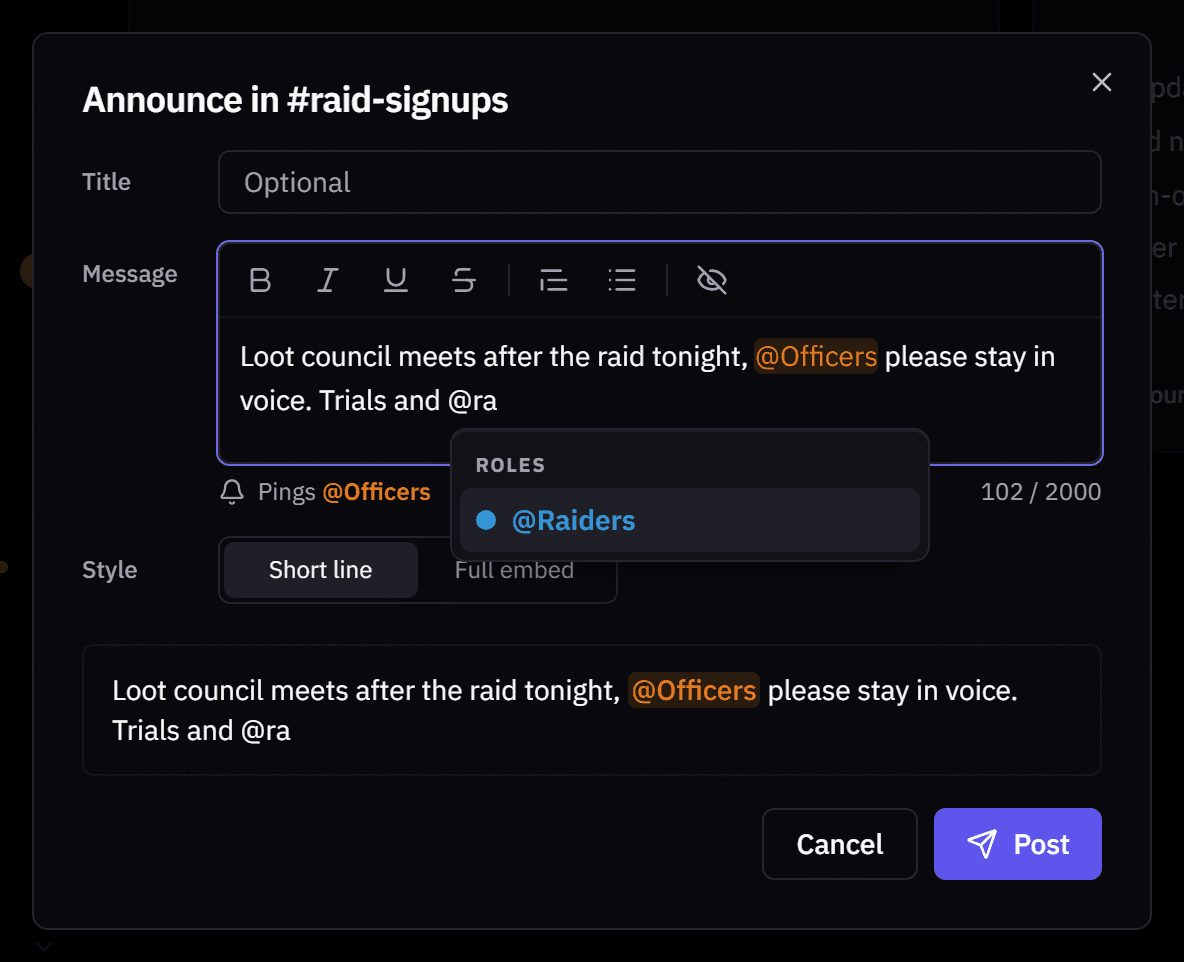
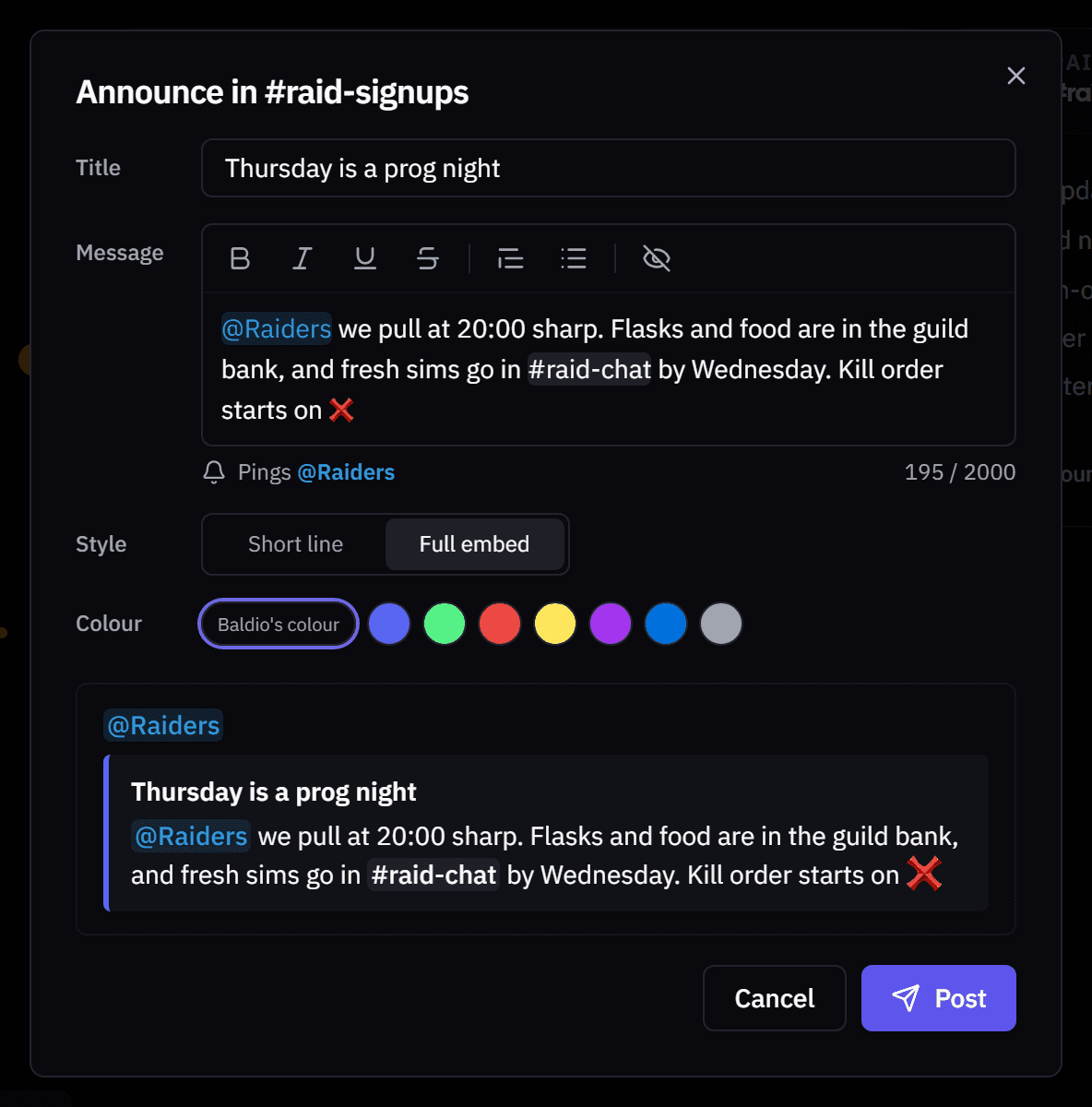
Post announcement on any Team updates channel writes a post from the site.
- Discord-style writing. Type @ for a role, # for a channel and : for an emoji, with bold, italic, spoilers and lists.
- The roles you mention get pinged. @everyone is never possible, and links only go to wowutils.com.
- Preview. Short line or full embed, in the colour you pick.
Your own wording
At Boost Tier 3, Team updates wording rewrites any Team updates message: the title, colour, which details show and a footer. Messages you changed are marked, Change the wording under any preview opens that message, and Send a test posts a sample in one of your channels.

Legal pages
The Terms of Service, Privacy Policy and Cookie Policy were rewritten to say what the site does, in plain words. The API terms are one page now.
- Deleting your account also removes your linked Discord and Warcraft Logs accounts and unpairs the desktop app.
- Plan problems. Your profile now says where to reach us if something is wrong with your supporter plan.
Around the app
- Audit Log access. View Audit Log is a permission now, on for officers by default, so you can give it to anyone.
- Error reports. When a page breaks, the report button copies the error and opens the bug channel in our Discord.
As always, feedback and ideas are welcome in Discord or on the Community page.