



Changing a player's spec used to cost you their cooldowns. Now every player on a cooldown plan keeps a set of cooldowns per spec, so a spec change saves the old casts instead of throwing them away.
Switch specs without losing work
Click a player's spec icon in the planner's roster and pick another spec. Before anything changes, a box shows you what happens to their casts.

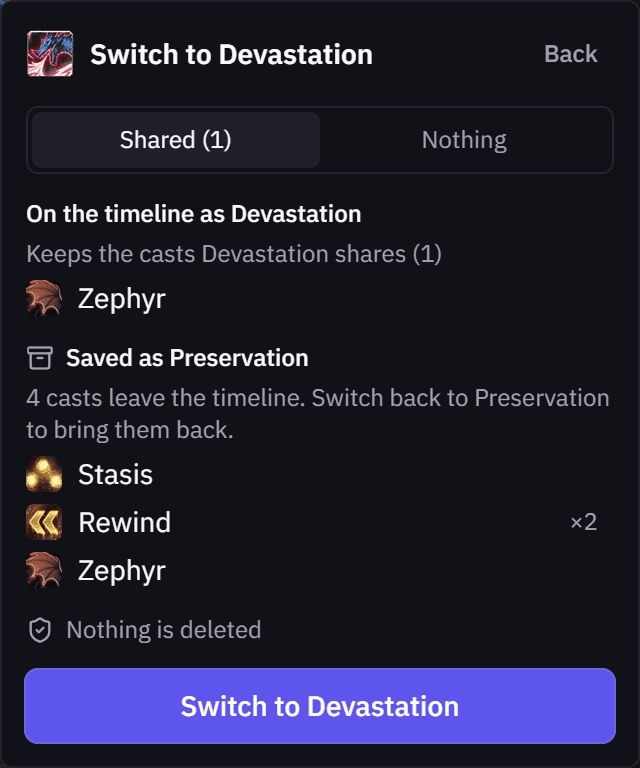
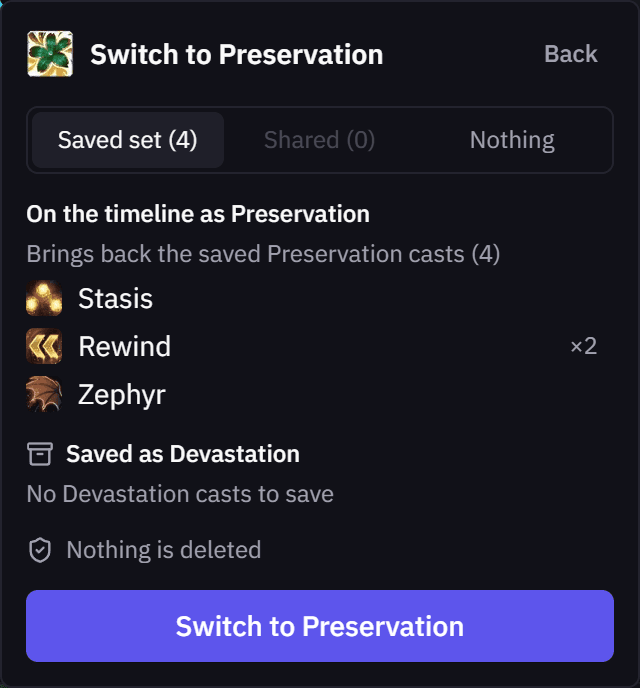
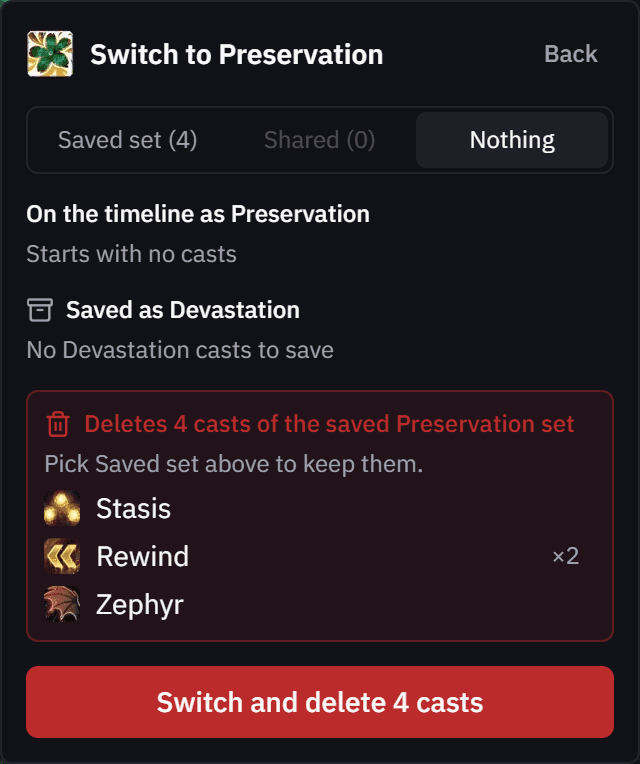
- Saved, not deleted. The old spec's casts leave the timeline and wait for that spec.
- Pick how the new spec starts. Bring back its saved set, keep the cooldowns both specs share, or start empty.
- Switch back any time. The saved set returns exactly where you placed it.
- A clear warning. If a choice would delete saved casts, the box turns red and lists them first.
Follows your Setup
On the Setups tab of the Planning Hub, click a seated player's spec icon in a boss column to change their spec for that boss. The plan linked to that boss swaps to the new spec the same way, with the old casts saved.

A spec you pick on the plan itself stays put, and copied notes use the spec the Setup has for that boss.
As always, feedback and ideas are welcome in Discord or on the Community page.