



Browser Tab Titles and A round of UI/UX here and there
Tab Titles
CD note and Assignment pages now have descriptive browser tab titles, so it's easier to find the right tab when you have a bunch open.
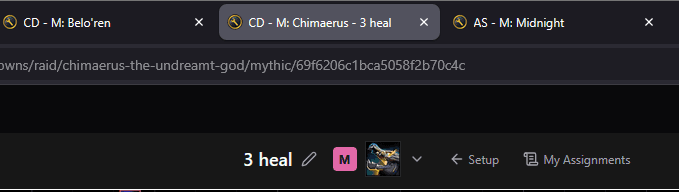
CD - M: Chimaerus - 3 heal— note type (CD or Assignment), difficulty, boss short name, custom note name
WCL Top & Compare — matching controls
WCL Compare's player selector, view-mode toggle, and Edit Assignments button now match the WCL Top page. Popovers open on hover across both pages.
- Small UI/UX changes for consistency between the two pages
- Edit Assignments now much less buggy, and should actually work!
Plan button — clearer note linking
The Plan {boss} button on the WCL Top page is now working better, and gives clearer options of what CD note it links to.
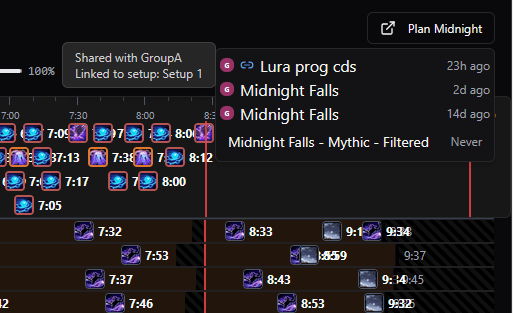
Copy note — pick the destination
The duplicate button on Overview is now a dropdown — pick where the copy lands.
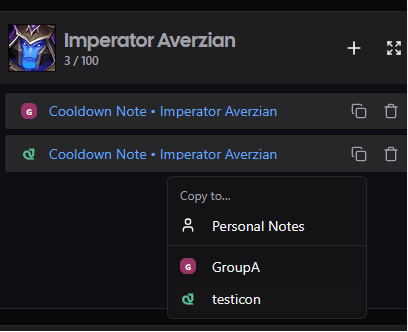
- Copy to Personal Notes or any group you can edit
Boss switcher — follows your setup
The boss dropdown at the top of a CD page now lists the bosses from the setup the note is linked to, not just whatever notes you personally own.
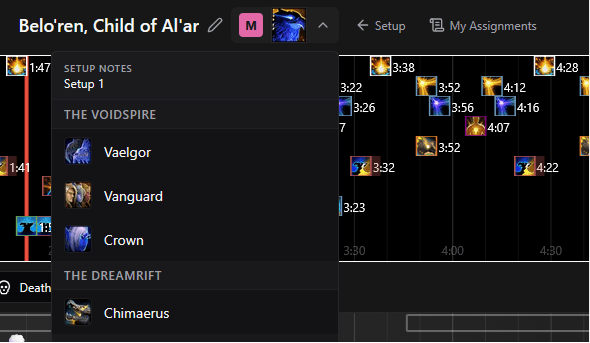
- Setup mode — shows only the bosses in the linked setup, in the setup's own order, each linking to that setup's cooldown note
- No setup — falls back to your latest note per boss for the current difficulty
Overview — chain icon for linked notes
- New chain icon when a note is linked to a setup; hover to see the setup name. This clarifies which notes are currently linked to your Setup and which are the old backups.
As always, feedback and ideas are welcome in Discord.